FLUX 3 Video Guide: 20-Second AI Video in 4K With Sound
FLUX 3 Video in Wellshot: 5 to 20 second AI video at 720p, 1080p, 1440p or 4K, sound on or off, six aspect ratios and start and end frame control.
By the Wellshot team · · 5 min read
FLUX 3 Video is Black Forest Labs' video model, and in Wellshot it makes 5 to 20 second takes at 720p, 1080p, 1440p or 4K, with sound on or off. It works from text or from a start and end frame, in six aspect ratios from 9:16 to 21:9. It's the model to look at when the shot needs native high resolution and a take longer than 15 seconds.
This guide covers what FLUX 3 Video does, what it leaves out, how to prompt it for detail, and when to pick it over the other models in Wellshot.
FLUX 3 Video at a glance
| Spec | FLUX 3 Video |
|---|---|
| Maker | Black Forest Labs |
| Tasks | Text to video, image to video (start and end frame) |
| Length | 5 to 20 seconds |
| Resolution | 720p, 1080p, 1440p, 4K |
| Sound | On or off |
| Aspect ratios | 16:9, 9:16, 1:1, 4:3, 3:4, 21:9 |
| References | None (no reference-to-video task) |
What it doesn't do: follow a set of reference pictures, edit an existing clip, or extend one. If you need the same character across shots from reference pictures, use a model with a reference-to-video task, such as Kling 4.0 or Wan 3.0. The way to keep a look consistent with FLUX 3 Video is through the frames: make a strong still first, then animate it.

Resolution: when 4K is worth it
Four resolutions give you a clear ladder:
- 720p for finding the move: cheap tests, previews, pitches.
- 1080p for most social and web delivery.
- 1440p when you want headroom to crop or reframe in the edit, or a sharper vertical master.
- 4K for big screens, cinema-grade edits, and shots full of fine detail (water, foliage, fabric, machinery) that fall apart at lower sizes.
Higher resolution costs more credits, so the usual routine is to find the take at 720p, then run the keeper at 4K from the same frames and prompt. If a different model made the shot you love at 720p, you can also bring it up afterwards with an upscaler; see the AI video upscaler guide for when that's the better route. For every native 4K option, read the 4K AI video generator guide.
Start and end frame
With no reference task, frames are how you steer FLUX 3 Video. Give it a start picture and the take opens on it; add an end picture and it works out the motion to land there.
This is useful when:
- A product must end on its hero angle. Start close on a detail, end on the packshot.
- Two shots must cut together. Use the last frame of one shot as the first of the next.
- A camera move must arrive somewhere. A push across a lake that stops on the boathouse.
Make the frames with any image model in Wellshot, at the same aspect ratio as the video. The full technique is in the start and end frame guide.
A worked example
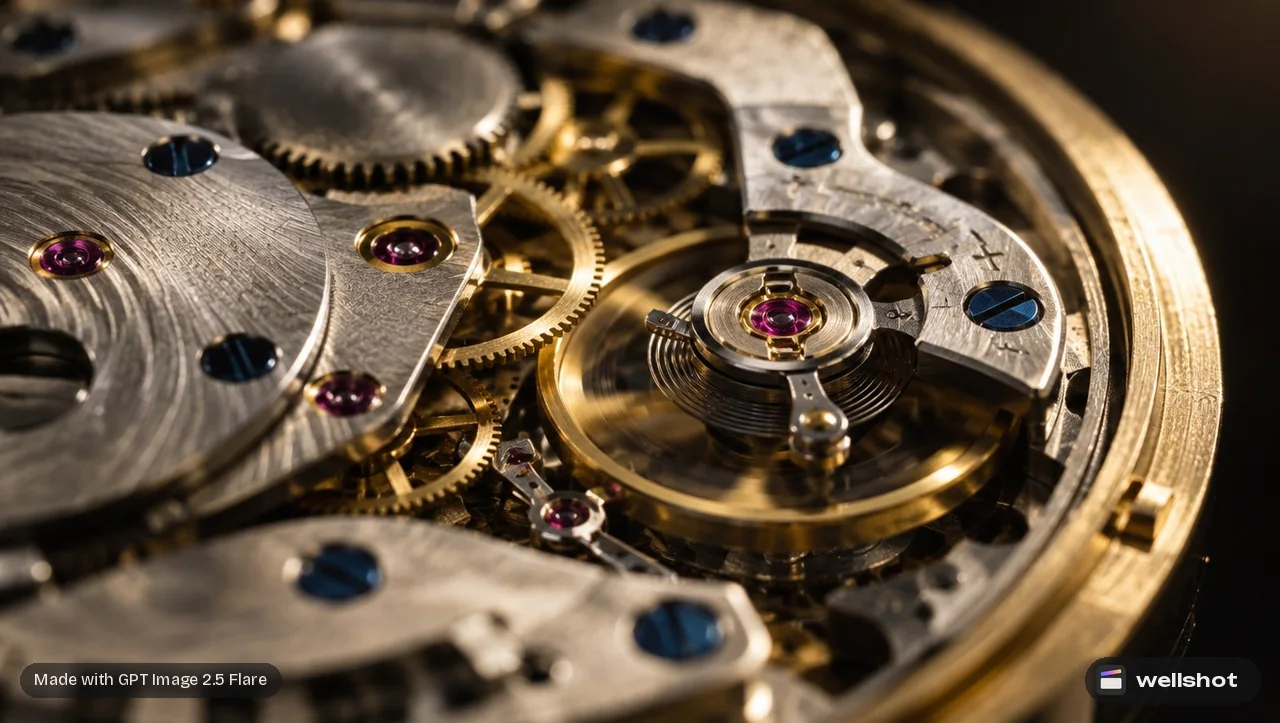
A 15-second macro product shot, 16:9, 4K, sound on, with the watch movement still as the start frame:
16:9, 15 seconds, 4K. Start on the watch movement from the first frame.
Extreme macro. The balance wheel ticks back and forth, gears turn slowly,
light glints off the jewels. The camera glides sideways across the
movement and slowly pulls back to reveal the whole open caseback on a
dark velvet surface. One soft key light from the left, deep shadows,
very shallow focus that racks from the gears to the crown.
Sound: a quiet steady tick, a soft mechanical whir.
The prompt gives the move in order (glide, pull back, reveal), names the light and the focus, and lists the sound. At 4K, the fine detail in the prompt (jewels, gears, velvet) is what the extra pixels show off. For more ways to describe moves, see AI video camera movement prompts.
Sound on or off
Switch sound on and the take comes back with audio generated with the picture. Switch it off for a silent clip when you'll lay music or a voice-over under the cut in the online video editor. You can also add a music track to the take in the Studio: Wellshot lays it on the finished clip.
How to use FLUX 3 Video in Wellshot
- Open a shot in the Studio, choose video mode, and pick FLUX 3 Video, or open FLUX 3 Video in Wellshot.
- Describe the shot, or add a start frame (and an end frame).
- Choose the aspect ratio, resolution (720p to 4K) and length (5 to 20 seconds), and switch sound on or off.
- Check the credit price on the button, then run. The take is saved on the shot.
On the Canvas, FLUX 3 Video has its own nodes under Video, so you can wire a still from an image node straight into its start frame. In the Director, ask for it by name for the shots that need 4K.
When to pick FLUX 3 Video
Pick it when:
- The shot needs native 1440p or 4K.
- You want up to 20 seconds in one take at high resolution.
- You need 21:9 or 4:3 as well as the usual sizes.
- You want the option of a silent take.
Pick something else when you need reference pictures or clips, an edit to an existing clip, or more than 20 seconds. The best AI video models guide compares them all.
FAQ
How long can a FLUX 3 Video clip be?
From 5 to 20 seconds per take. You set the length in the Studio or on the FLUX 3 Video node.
Can FLUX 3 Video make 4K video?
Yes. It renders at 720p, 1080p, 1440p or 4K.
Does FLUX 3 Video have sound?
Yes, and it's optional. Switch sound on or off for each generation.
Does FLUX 3 Video support reference images?
No. It works from text or from a start and end frame. For reference pictures, use a model with a reference-to-video task, such as Kling 4.0 or Wan 3.0.
Who makes FLUX 3 Video?
Black Forest Labs. In Wellshot it sits in the video model picker next to the other video models, in the Studio, on the Canvas and in the Director.
Make it in Wellshot
Every model in one studio. Prompt it, wire it as nodes, or let the Director run it.