Nano Banana Pro Guide: Premium AI Images With Sharp Text
Nano Banana Pro in Wellshot: Google's premium image model for the best detail and text, up to 14 reference images, 1K to 4K, and when it beats cheaper models.
By the Wellshot team · · 5 min read
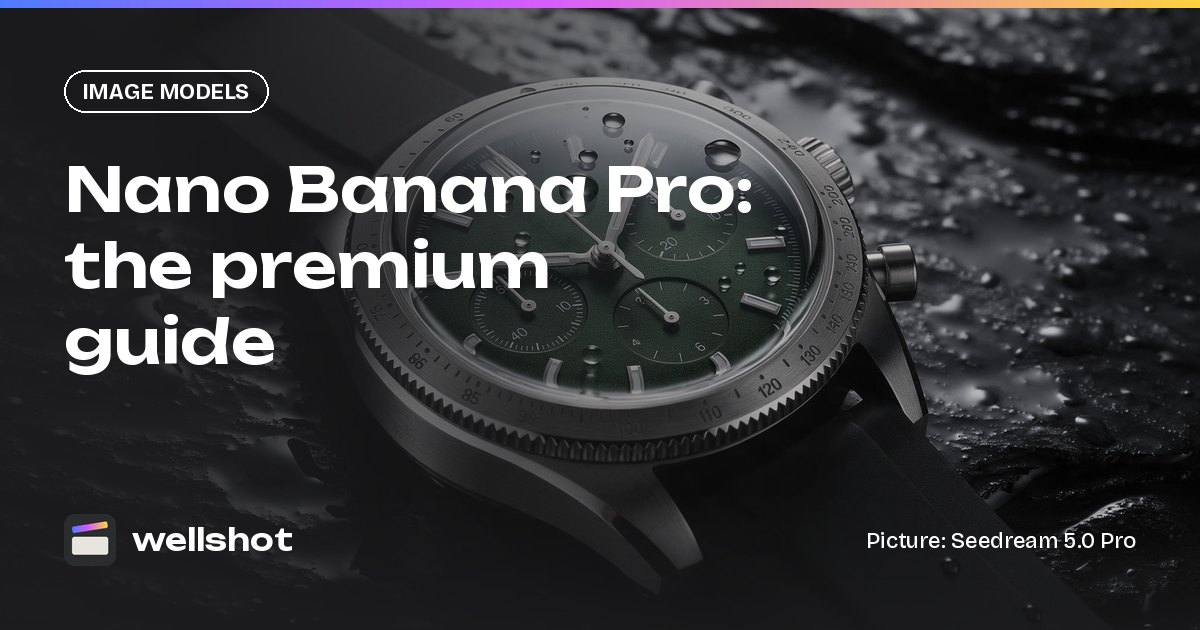
Nano Banana Pro is Google's premium image model, the one to use when a picture needs the best detail and the cleanest text. In Wellshot it makes images from text or edits them with up to 14 reference pictures, at 1K, 2K or 4K. This guide covers when the premium model is worth it, how to prompt it for product and title work, and how it compares with Nano Banana 2.1 and Seedream.
Nano Banana Pro at a glance
Nano Banana Pro comes from Google (Google DeepMind). It sits above Nano Banana 2.1 as the premium option.
| Spec | Nano Banana Pro |
|---|---|
| Maker | |
| Tasks | Text to image, edit with references |
| Sizes | 1K, 2K, 4K |
| Max references | 14 |
| Strength | Premium: best detail and text |
| Aspect ratios | 16:9, 9:16, 1:1, 4:3, 3:4, 3:2, 2:3, 21:9, 4:5, 5:4 |
Next to Nano Banana 2.1 the specs look the same on paper: same sizes, same 14-reference limit, same ratios. The difference is the level: Pro is the premium model for detail and text, and 2.1 is noted for strong edits, text and character consistency.
When the premium model is worth it
Every image in Wellshot costs credits, with the price shown on the button before you run, so you can compare Pro with a lighter model on the same shot before committing. Use Pro where the extra quality will be seen:
- Hero images. The one still that opens the campaign or sits on the product page.
- Small text that must be sharp. Labels, ingredient lists, dials, fine print on packaging.
- Titles and posters. Big type that has to be spelled right and look designed.
- Tight close-ups. Textures, materials and small product details.
For everything before that point (options, layouts, boards), a cheaper model is fine. A common routine: draft with Seedream 5.0 Flash, refine with Nano Banana 2.1, then make the final with Nano Banana Pro.
Prompting for detail and text
A few habits get more out of Pro:
- Quote every word you want on the picture. "A label that reads "NO. 7 / 50 ML"" leaves no room for guessing.
- Say where the text goes. Top, bottom, on the bottle, on the sign.
- Say what not to add. "No other text" stops extra lines appearing.
- Describe the material. Brushed steel, frosted glass, matte paper: the model has more to render.
- Name references by role. @Image 1 is the product to keep exactly, @Image 2 is the set, and so on.
A worked example: a watch hero shot
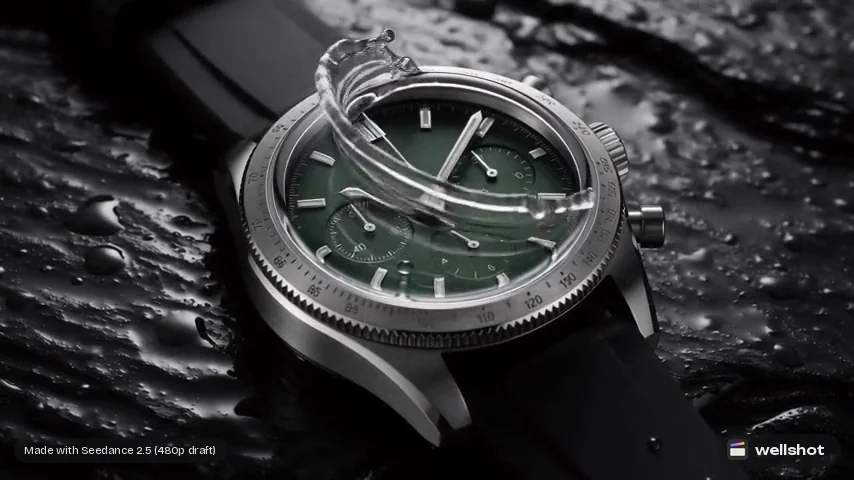
You have a picture of the watch (@Image 1), a slate surface (@Image 2) and a mood picture with water droplets (@Image 3).
Luxury product photograph, 4:5, 4K. The watch from @Image 1 lies on the dark
slate surface from @Image 2, dial facing camera, slightly angled. Fine water
droplets on the glass and strap like @Image 3. One soft key light from top left,
a thin specular highlight along the bezel, deep shadows. Keep the dial, hands,
case and strap exactly as in @Image 1. On the slate below the watch, small
engraved text that reads "TIDE / 300 M". No other text, no logos added.
This plays to Pro's strengths: fine detail in the droplets and bezel, small text that has to be crisp, and a 4:5 ratio that only the Google models offer in Wellshot.
From hero still to product video
An approved Pro still makes a strong start frame. In Wellshot:
- Generate the hero still with Nano Banana Pro.
- In the Studio, switch to video mode and set the still as the start frame. On the Canvas, wire the image node into a video node's first frame input.
- Pick a video model and describe the move (a slow orbit, a splash, a push in).
- To save credits on motion tests, use Seedance draft mode: a cheap 480p preview first, then render the one you like at full quality from the same draft.
For the full workflow, read our AI product video generator guide.
You can open Nano Banana Pro in Wellshot and try the watch prompt.
Using Pro inside a team
On Crew and Production plans, a team shares projects and one credit pool. A sensible rule for agencies is to keep Pro for the frames going to the client, and let the rest of the team explore with cheaper models. Because every take is saved on the shot, the Pro final sits right next to the drafts that led to it. More in our post on AI video tools for teams.
Nano Banana Pro vs the alternatives
| Pick | When |
|---|---|
| Nano Banana Pro | Final hero images, sharp small text, posters, tight detail |
| Nano Banana 2.1 | Strong edits, text and consistent characters across a series |
| Seedream 5.0 Pro | Best-quality Seedream stills and precise edits, up to 2K |
| Seedream 5.0 Lite | High resolution up to 4K from the Seedream family |
| Kling Image 3.0 Omni | Keeping people and products consistent across images |
For a direct comparison of the two families, read Nano Banana vs Seedream.
FAQ
What is Nano Banana Pro?
Nano Banana Pro is Google's premium image model. In Wellshot it makes and edits images with up to 14 references, at 1K, 2K or 4K, and is the pick for the best detail and text.
Is Nano Banana Pro better than Nano Banana 2.1?
Nano Banana Pro is the premium model with the best detail and text. Nano Banana 2.1 is strong at edits, text and character consistency, and is the better choice for most work before the final hero image.
Can Nano Banana Pro make 4K images?
Yes. It renders at 1K, 2K or 4K, including 4:5 and 5:4 ratios.
How much does Nano Banana Pro cost in Wellshot?
It uses credits like every model. The exact price shows on the button before you generate, failed generations are refunded automatically, and plan credits refresh every month.
Make it in Wellshot
Every model in one studio. Prompt it, wire it as nodes, or let the Director run it.