Wan 3.0 Guide: Cheap 30-Second AI Video With Sound
Wan 3.0 in Wellshot: cheap 2 to 30 second AI video with sound, 1080p, start and last frame, 4 reference pictures, and a picture that moves to your music.
By the Wellshot team · · 5 min read

Wan 3.0 is Alibaba's video model, and in Wellshot it makes 2 to 30 second takes in one go, with sound on or off, at 480p, 720p or 1080p. It animates a start frame towards a last frame, or follows up to 4 reference pictures, and it is one of the cheaper ways in Wellshot to get a long take. Give it a music track and it hears it, so the picture moves to your music. Wan 3.0 Prime is the same model, faster.
This guide covers the specs, when Wan 3.0 is the right pick, how the music feature works, and a prompt you can start from.
Wan 3.0 at a glance
| Spec | Wan 3.0 |
|---|---|
| Maker | Alibaba |
| Tasks | Text to video, image to video (start and last frame), reference to video |
| Length | 2 to 30 seconds in one take |
| Resolution | 480p, 720p, 1080p |
| Sound | On or off |
| Aspect ratios | 16:9, 9:16, 1:1, 4:3, 3:4 |
| Reference pictures | Up to 4 |
| Faster version | Wan 3.0 Prime, same specs |
The headline is length for the price. Thirty seconds in a single take, with sound, at a low credit cost, means a slow drone move, a walk-and-talk or a long product turn can come out as one continuous shot instead of three you have to match.
What it doesn't do: edit or extend a clip you already have, or 21:9. For edits, see how to edit video with AI.
Wan 3.0 or Wan 3.0 Prime
Both make the same takes: 2 to 30 seconds, the same resolutions, frames and references. Prime is faster. Use the standard model when you're happy to wait and want to keep costs down, and Prime when you're iterating in a session and want results back sooner. The credit price for each shows on the button before you run.
Picture that moves to your music
Most video models ignore a music track: Wellshot lays the track on the finished clip, and the picture doesn't know it's there. Wan is different. Wan models hear the track you give them, so a dancer's steps or a camera move can land with the music. Seedance and MiniMax H3 Max hear music too.
How to use it:
- In the Studio, open the shot in video mode and press Music to add your track (upload it first if it's not in the project).
- Set where in the track the clip starts, so a 10-second shot covers the right bars.
- Choose whether the track replaces the model's own sound or keeps it quietly underneath.
- Run as normal. On the Canvas, every video node has a music input that does the same.
Use only music you have the rights to use. For a whole film cut to a song, the Director can take the track in the brief and plan the shots around it; AI music video generator walks through that workflow. If you don't have a track yet, Eleven Music in Wellshot makes songs and score from a description; see the AI music generator guide.
Start and last frame, or references
You choose one of two ways to steer the shot:
- Start and last frame. Give a start picture and, if you want, a last picture, and Wan works out the motion between them. Good for a shot that has to land on a set angle, or for joining two shots cleanly. The technique is in the start and end frame guide.
- Up to 4 reference pictures. Show a character, a costume, a product and a place, and name them in the prompt as @Image 1 to @Image 4. Good when you want the same person or product across shots rather than a fixed opening frame.
A worked example
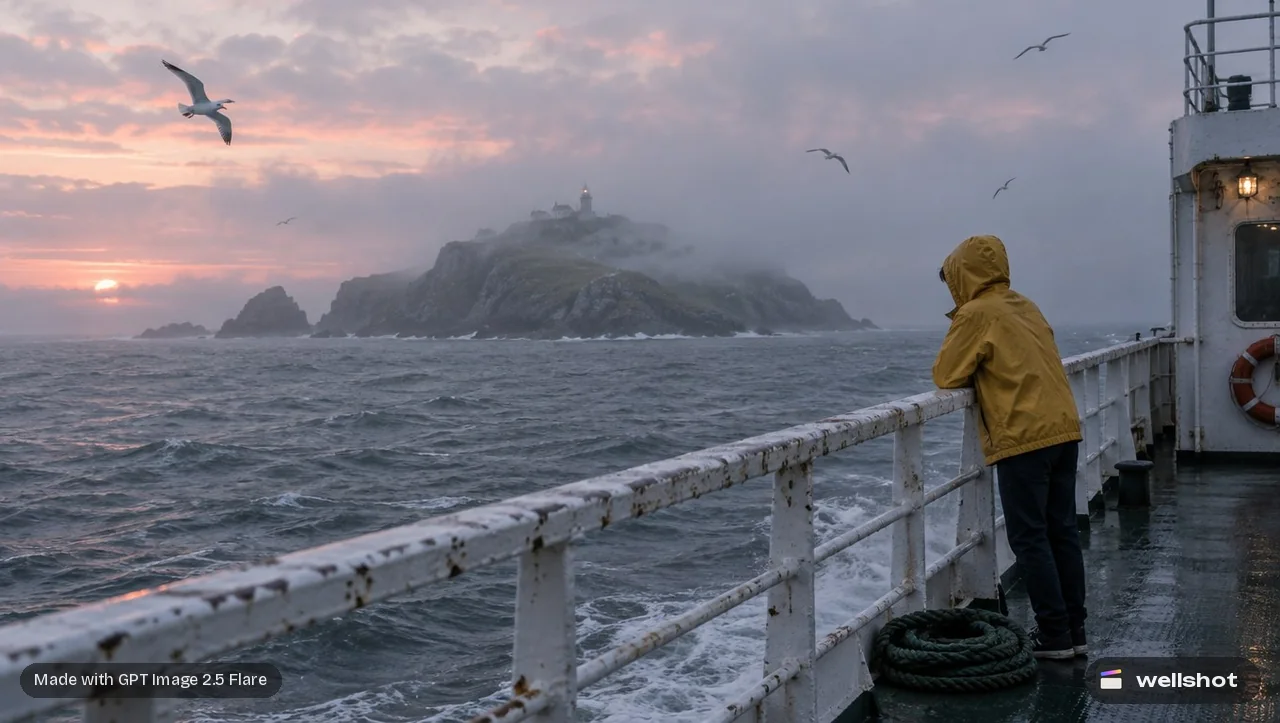
A 20-second take from a start frame of the ferry deck, 16:9, 1080p, sound on:
16:9, 20 seconds, one continuous shot. Start on the teenager at the ferry
rail from the first frame. She turns her face into the wind as the sun
clears the horizon. The camera slowly drifts sideways along the rail and
rises, revealing the wake behind the boat and gulls following it. Soft
pink dawn light turning gold, light spray, hair moving in the wind.
Sound: engine hum, wind, waves against the hull, distant gulls.
Write the move as a sequence (turns, drifts, rises, reveals) so the model has something to do with twenty seconds.
When to pick Wan 3.0
Pick it when:
- You need takes longer than 15 seconds and want to keep the cost down.
- The shot should move to a music track.
- 1080p is enough and you need 16:9, vertical, square, 4:3 or 3:4.
- You want the same person or product from a few reference pictures.
Pick something else when:
- You need to edit or extend an existing clip.
- You need more than 4 reference pictures, or reference clips: Kling 4.0 takes 10 pictures and 5 clips.
- You need 4K or 21:9: FLUX 3 Video goes up to 4K in 21:9.
- You want a short, fast take with tight prompt following: MiniMax H3 Max.
The best AI video models guide compares every model in the picker. To try it now, open Wan 3.0 in Wellshot.
Credits
Wan 3.0 is one of the cheaper video models in Wellshot. The price in credits shows on the button before you run, and failed generations refund automatically. Length and resolution set the cost: a 480p or 720p test at 10 seconds is a cheap way to find the move before running the full-length 1080p take. If you later want a bigger file, upscale only the keeper.
FAQ
How long can a Wan 3.0 video be?
From 2 to 30 seconds in one take. Wan 3.0 Prime has the same range.
Does Wan 3.0 have sound?
Yes, and it's optional: switch sound on or off for each take. You can also give it your own music track, which it hears so the picture moves to it.
What is the difference between Wan 3.0 and Wan 3.0 Prime?
They make the same takes with the same settings. Prime is faster.
Can Wan 3.0 use reference images?
Yes, up to 4 reference pictures, named @Image 1 to @Image 4 in the prompt. Or use a start and last frame instead.
Is Wan 3.0 cheap?
It's one of the cheaper video models in Wellshot for long takes. The exact credit price shows on the button before you run.
Make it in Wellshot
Every model in one studio. Prompt it, wire it as nodes, or let the Director run it.