MiniMax H3 Max Guide: Fast, Cheap AI Video With Sound
MiniMax H3 Max in Wellshot: fast, cheap AI video with sound that follows your prompt closely. 5 or 10 seconds, up to 1080p, frames and 4 reference pictures.
By the Wellshot team · · 5 min read
MiniMax H3 Max is a fast, cheap video model with strong prompt following, and in Wellshot it makes 5 or 10 second takes, always with sound, at 480p, 768p or 1080p. It works from text, from a start and end frame, or from up to 4 reference pictures, in six aspect ratios. Its sibling, MiniMax H3 Max Recast, swaps up to four people in a clip you already have.
Here is what H3 Max does, the kind of shot it suits, and how to prompt it so it does exactly what you wrote.
MiniMax H3 Max at a glance
| Spec | MiniMax H3 Max |
|---|---|
| Maker | MiniMax |
| Tasks | Text to video, image to video (start and end frame), reference to video |
| Length | 5 or 10 seconds |
| Resolution | 480p, 768p, 1080p |
| Sound | Always on, generated with the picture |
| Aspect ratios | 16:9, 9:16, 1:1, 4:3, 3:4, 21:9 |
| Reference pictures | Up to 4 |
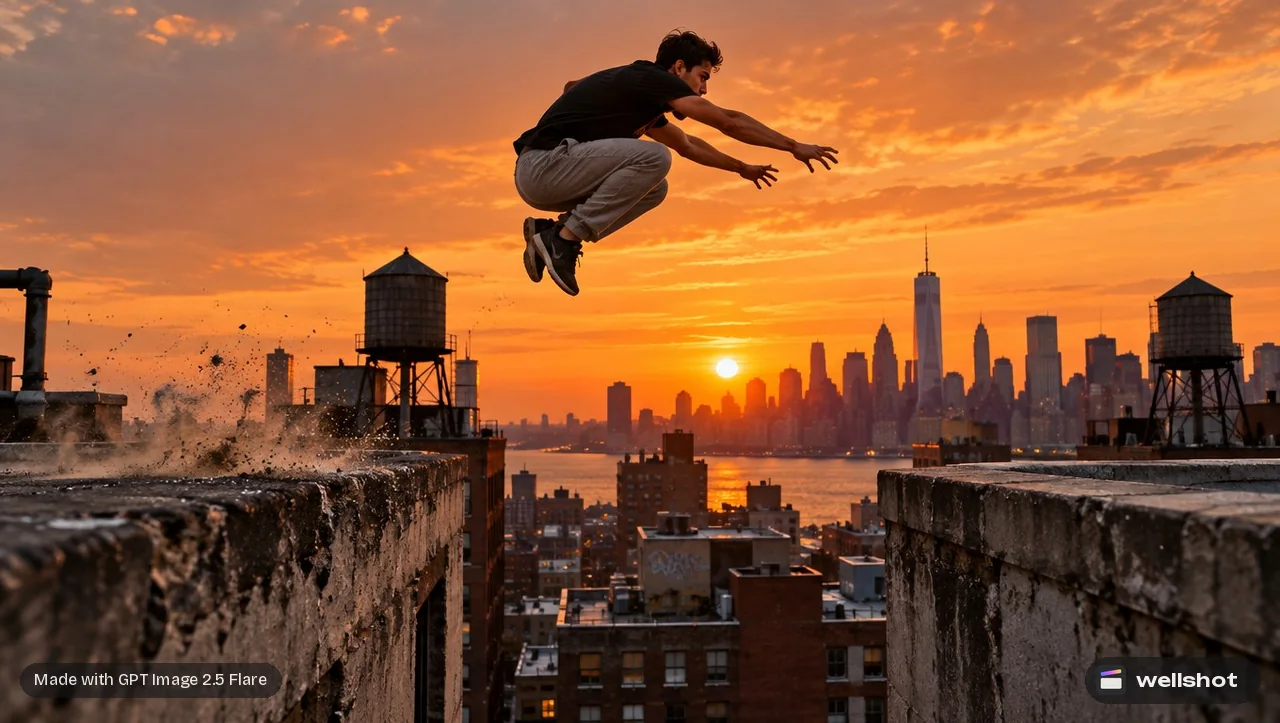
The two short lengths tell you what it's for: single beats, not long takes. A leap, a punch, a turn, a product moment. It's quick and cheap, so you can run a prompt several times and keep the best take.
What it doesn't do: edit or extend an existing clip, or make takes longer than 10 seconds. For long single takes, look at Wan 3.0 or Kling 4.0, both up to 30 seconds.
Why prompt following matters
Prompt following is how closely a model does what you wrote, and it's one of H3 Max's strengths. It matters most when the shot has specific beats in a specific order. If you write "he plants his left foot, jumps, tucks his knees and lands rolling", that's what you want on screen, in that order.
To get the most from it:
- Write the action as steps. One verb per beat, in order.
- Say where the camera is and what it does. "Low angle, the camera tracks left with him."
- Name the sound. It always makes sound, so describe it: footsteps on gravel, a glove hitting a bag, the crowd.
- Keep it to one moment. Ten seconds is one or two beats, not a scene.
Sound and music
H3 Max always generates sound with the picture. If you'd rather use your own music, add a track to the take: in the Studio press Music, pick the track and where in it the clip starts, and choose whether it replaces the model's sound or keeps it quietly underneath. H3 Max hears the track, so the movement can follow the music, which makes it useful for short dance and performance beats in a music video. Wan and Seedance hear music too.
Use only music you have the rights to use.
A worked example
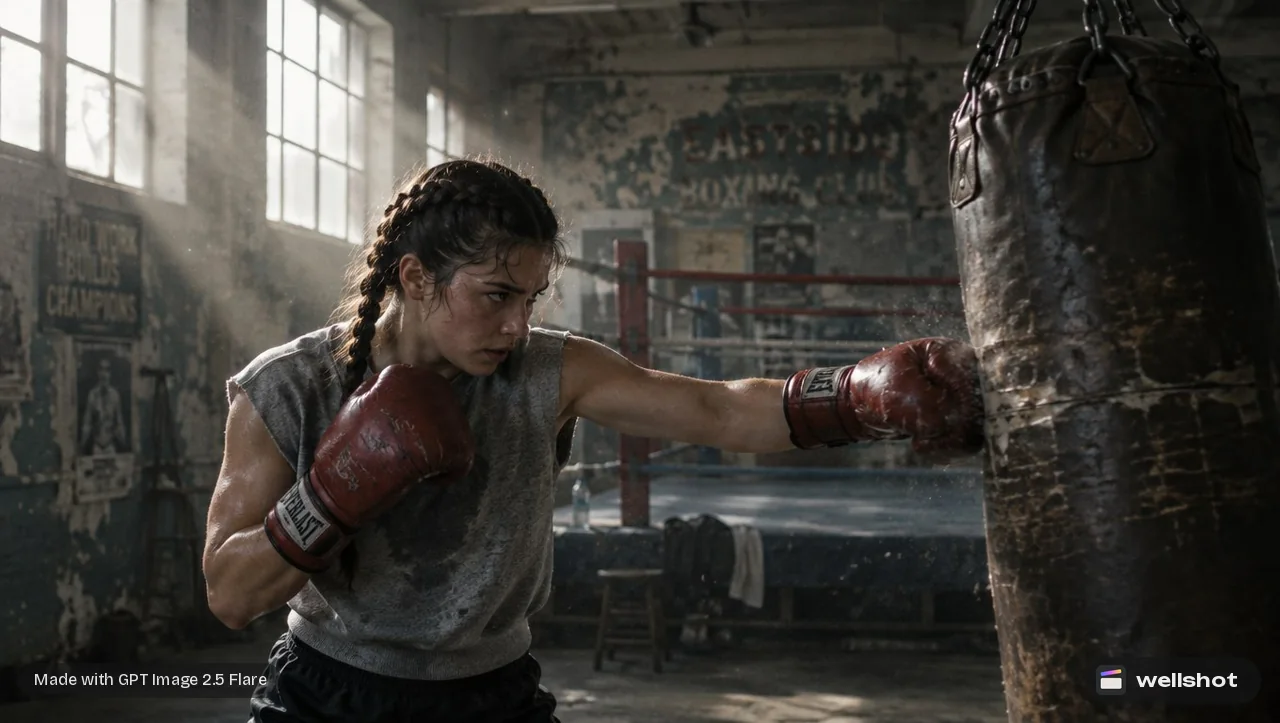
A 5-second take, 16:9, 1080p, from a start frame of the boxer at the bag:
16:9, 5 seconds. Start on the boxer from the first frame. She jabs twice
with her left, then throws a hard right; the heavy bag swings away and
back, and she slips to the side as it returns. Low angle, handheld, the
camera eases in slightly on the right hand. Dim gym, one hard top light,
sweat and dust in the beam.
Sound: two quick jab thuds, a heavy punch impact, the chain creaking,
her breathing.
The beats are written in order (jab, jab, right, swing, slip), the camera has one clear instruction, and the sound is listed beat by beat.
Start and end frame, or references
- Start and end frame. Give a start picture and, if you want, an end picture, and H3 Max fills the motion between them. Useful to land a beat on a set pose or to cut cleanly into the next shot. See the start and end frame guide.
- Up to 4 reference pictures. Show a character, a costume, a prop and a place, and name them @Image 1 to @Image 4. Good for keeping the same person across a run of short beats; consistent characters with AI explains the approach.
MiniMax H3 Max Recast: swap up to four people
H3 Max Recast is a separate tool in the same family. It takes a clip you already have (5 to 30 seconds, no single cut longer than 15 seconds) and swaps up to four people in it for the people in your pictures, left to right unless you say who becomes whom. It keeps the moves, the camera, the cuts and the clip's sound, at 768p or 1080p.
Use it when a clip has several people or several cuts. For other kinds of swap (clothes, a prop, the place, the whole frame), use Wellshot Stand-In. As with any swap, use only faces you have the rights to use; under Wellshot's Terms, you're responsible for the faces and voices you use.
How to use MiniMax H3 Max in Wellshot
- Open a shot in the Studio, choose video mode, and pick MiniMax H3 Max, or open MiniMax H3 Max in Wellshot.
- Describe the shot, add a start (and end) frame, or add up to 4 reference pictures.
- Choose the aspect ratio, resolution (480p, 768p or 1080p) and length (5 or 10 seconds).
- Check the credit price on the button and run. Every take is saved on the shot.
On the Canvas, H3 Max has its own nodes under Video, and H3 Max Recast sits under "Swap a character". In the Director, ask for it by name for the short action shots in a plan.
When to pick MiniMax H3 Max
Pick it for:
- Short action beats that must happen exactly as written.
- Quick, cheap iterations: run several takes and keep one.
- Dance and performance beats that move to a music track.
- 21:9 or 4:3 shots, which not every model offers.
Pick something else for takes over 10 seconds, edits to existing clips, or 4K. The best AI video models guide lays out the options.
FAQ
How long can a MiniMax H3 Max video be?
5 or 10 seconds per take. For longer single takes, use a model that goes to 30 seconds, such as Wan 3.0 or Kling 4.0.
Does MiniMax H3 Max have sound?
Yes, always. It generates sound with the picture, so describe the sounds you want in the prompt. You can also add your own music track.
Is MiniMax H3 Max cheap?
It's one of the fast, cheaper video models in Wellshot. The exact credit price shows on the button before you run, and failed generations refund automatically.
What resolution does MiniMax H3 Max make?
480p, 768p or 1080p, in 16:9, 9:16, 1:1, 4:3, 3:4 or 21:9.
What is MiniMax H3 Max Recast?
It's a swap tool in the same family: it replaces up to four people in a clip you already have with the people in your pictures, keeping the moves, camera, cuts and sound.
Make it in Wellshot
Every model in one studio. Prompt it, wire it as nodes, or let the Director run it.