AI Video Director Agent: From Brief to Finished Cut
How the Wellshot AI video director agent works: it asks what it needs, writes the script, casts characters, plans shots, shows the cost and assembles the cut.
By the Wellshot team · · 5 min read
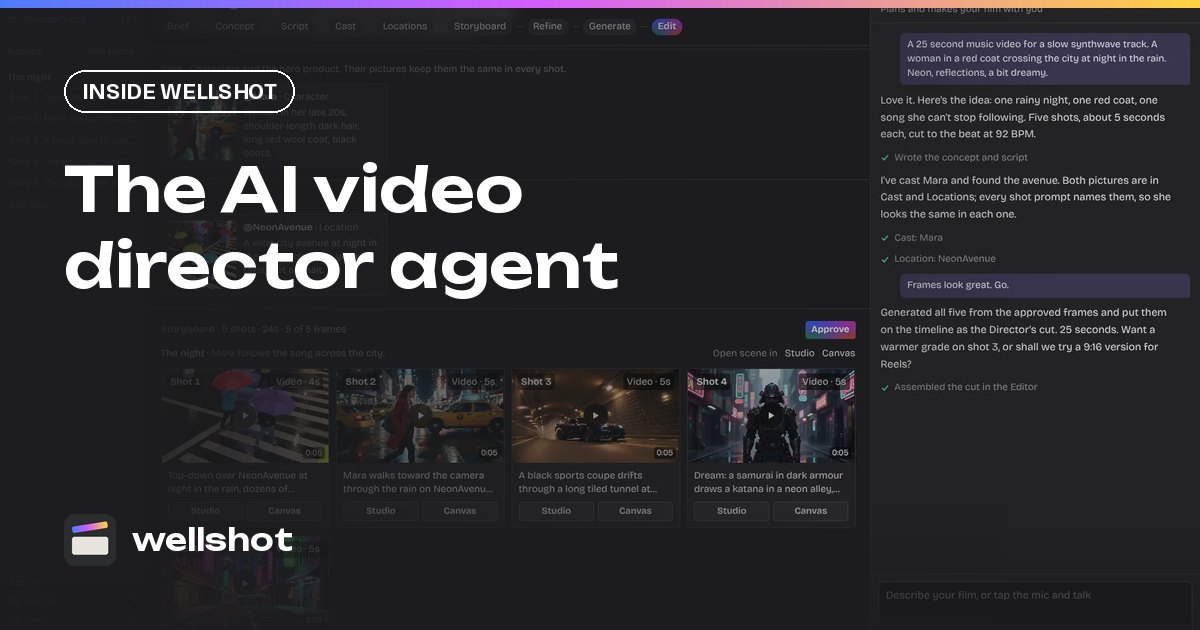
An AI video director agent is a chat assistant that takes your idea and runs the production: brief, script, casting, storyboard, shot generation and the first cut. In Wellshot that's the Director. You describe the film like you would to a crew, it asks only what it doesn't know, tells you what the plan costs before spending anything, then generates the shots and assembles them on a timeline.
This post explains what the Director does at each stage, what it asks you, and how to steer it so the result is closer to what you had in mind.
What the Director does
The Director is one of four views in Wellshot over the same project. A project holds scenes, each scene holds shots, and each shot has its node graph, its takes and its assets. Anything the Director makes shows up in Studio, on the Canvas and in the Editor, and anything you change there shows up for the Director too.
Its job, in order:
- Ask what it needs to know.
- Write the brief, concept and script.
- Cast characters, with character reference sheets.
- Find locations.
- Build a storyboard of scenes and shots.
- Pick a model per shot, or use the one you ask for.
- Tell you what the plan costs.
- Generate.
- Assemble the cut on a timeline, in story order, each clip trimmed to its planned length.
The questions it asks
The Director doesn't run you through a fixed form. It reads your message and asks only about what's missing from this list:
| Topic | Example of what it needs |
|---|---|
| Format | Commercial, music video, short film or social video |
| Aspect ratio | 16:9, 9:16, 1:1 and so on |
| Length | 15 seconds, 60 seconds, 3 minutes |
| Audience and platform | Instagram Reels, a client pitch, a festival |
| Tone and look | Warm and nostalgic, cold and clinical, a reference film |
| Music or voice-over | Whether there is either, and whose |
| Language | For voice-over and on-screen text |
The more of this you put in your first message, the fewer questions you get.
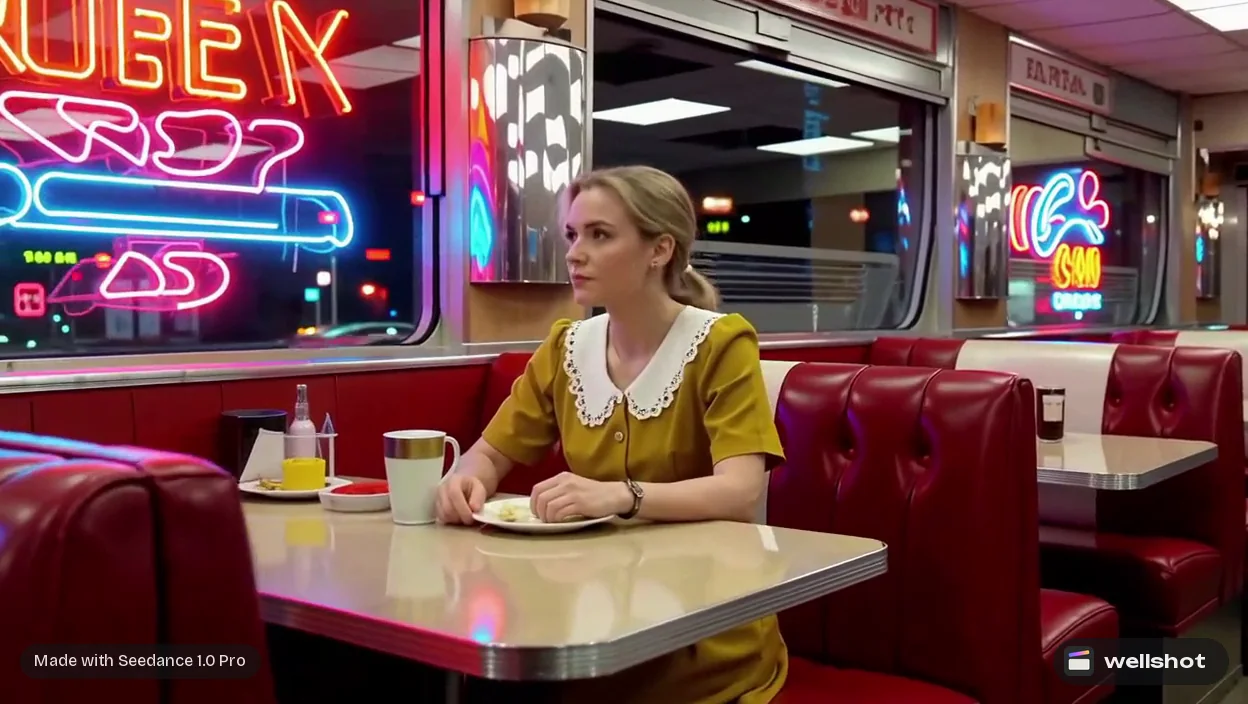
A 45-second short film, 16:9, for a festival submission.
A woman returns to the 1950s diner where she worked as a teenager.
Present day, she sits in the same booth; we cut between now and then.
Look: warm practical light, 35mm film, teal and amber.
No dialogue, a voice-over in English at the end. I'll bring the music.
Casting and consistency
For each character, the Director makes a character reference sheet: four full-body views (front, side, back, three-quarter) plus a portrait and detail close-ups, kept consistent with each other. It then uses those references in every shot the character appears in, which is what keeps the same face from scene to scene. More on this in consistent characters with AI.
Storyboard, models and cost
Next it builds a storyboard: scenes broken into shots, each with a description, length and model. You'll see something you can read like a shot list. This is where to steer:
- Change a shot. Ask it to swap a wide for a close-up, or add a cutaway.
- Change a model. "Use Seedance 2.5 for the hero shots and Seedance 2.0 Mini for the rest." The Director picks a model per shot, but it uses the one you ask for.
- Check the cost. Before it spends anything, it tells you what the plan costs in credits. If it's too much, ask for cheaper models on the less important shots, or fewer shots.
For more on planning boards with fast image models, see the AI storyboard generator post.
Formats it knows
The Director knows four formats, and each one changes how it plans:
- Commercial: built around a product or message. See AI commercial production.
- Music video: it asks for the track and cuts shots to the beat, typically 2–4 seconds. Upload your own, or generate a song or score in Wellshot with Eleven Music first. See the AI music video generator guide.
- Short film: story-first, scenes and characters. See how to make an AI short film.
- Social video: short, platform-shaped, often vertical.
After the first cut
When generation finishes, the Director lays the takes on a timeline in story order, each clip trimmed to its planned length. From there you can keep talking to it ("make the ending slower", "regenerate shot 4 with a handheld feel"), or take over by hand:
- Open a shot in Studio to change its prompt, references or camera settings.
- Open the scene on the Canvas to rewire a shot's node graph or branch variations.
- Open the Editor to trim, add titles, mix sound and export.
Because it's one shared project, all of these stay in sync. Every generation is saved as a take, so you can always go back.
Describe your next film and see the plan: open the Director.
FAQ
What is an AI video director agent?
It's a chat assistant that plans and produces a video from your description. Wellshot's Director writes the script, casts characters, builds the storyboard, picks a model per shot, shows the cost, generates and assembles the cut.
Can I choose which AI model the Director uses?
Yes. The Director picks a model for each shot, but if you name one it uses that. You can also change any shot's model later in Studio or on the Canvas.
Does the AI director tell me the cost first?
Yes. It tells you what the plan costs in credits before it generates anything, so you can cut shots or switch to cheaper models first.
Can the AI director make a music video?
Yes. Music video is one of its formats. Upload your track, or generate one in Wellshot with Eleven Music, and it cuts shots to the beat.
Make it in Wellshot
Every model in one studio. Prompt it, wire it as nodes, or let the Director run it.