Seedance Draft Mode: Preview at 480p, Finish in 1080p
Seedance draft mode lets you preview a shot at 480p for fewer credits, then render the take you like in 1080p with the same prompt, inputs and seed.
By the Wellshot team · · 5 min read
Seedance draft mode is a way to see a shot before you pay for it at full quality. In Wellshot, you turn it on for Seedance 2.5, get a cheap 480p preview, and when you like the result you render that same draft at up to 1080p, with the same prompt, inputs, length and seed, so the final matches what you approved.
It is the single biggest credit saver for long or complex video shots. This post explains how it works, where it fits in a production, and how to get the most out of it.
Why draft first
Video generation is a numbers game. Even with a tight prompt, the first take is often not the one: the camera drifts, the timing is off, a hand does something odd. If every attempt is a full 1080p render of a 20-second shot, you burn credits on takes you will never use.
Draft mode splits the job in two:
- Explore at 480p, where each try costs less.
- Finish only the take you picked, at full quality.
The important part is the second step. A normal re-render at higher resolution with a new seed gives you a different shot. Draft mode renders the final from the same draft, so motion, framing and timing carry over. You are approving the shot, not a rough idea of it.
What stays the same between draft and final
| Setting | Draft | Final |
|---|---|---|
| Prompt | Your prompt | Same |
| Inputs (frames, references) | Your inputs | Same |
| Length | 4–30 s | Same |
| Seed | Locked | Same |
| Resolution | 480p | Up to 1080p |
| Credit cost | Lower | Shown on the button before you render |
Because the seed and inputs are locked, do not change the prompt between draft and final. If you want a change, make a new draft. Drafts are cheap, so that is the right way to iterate.
How to use draft mode in Wellshot
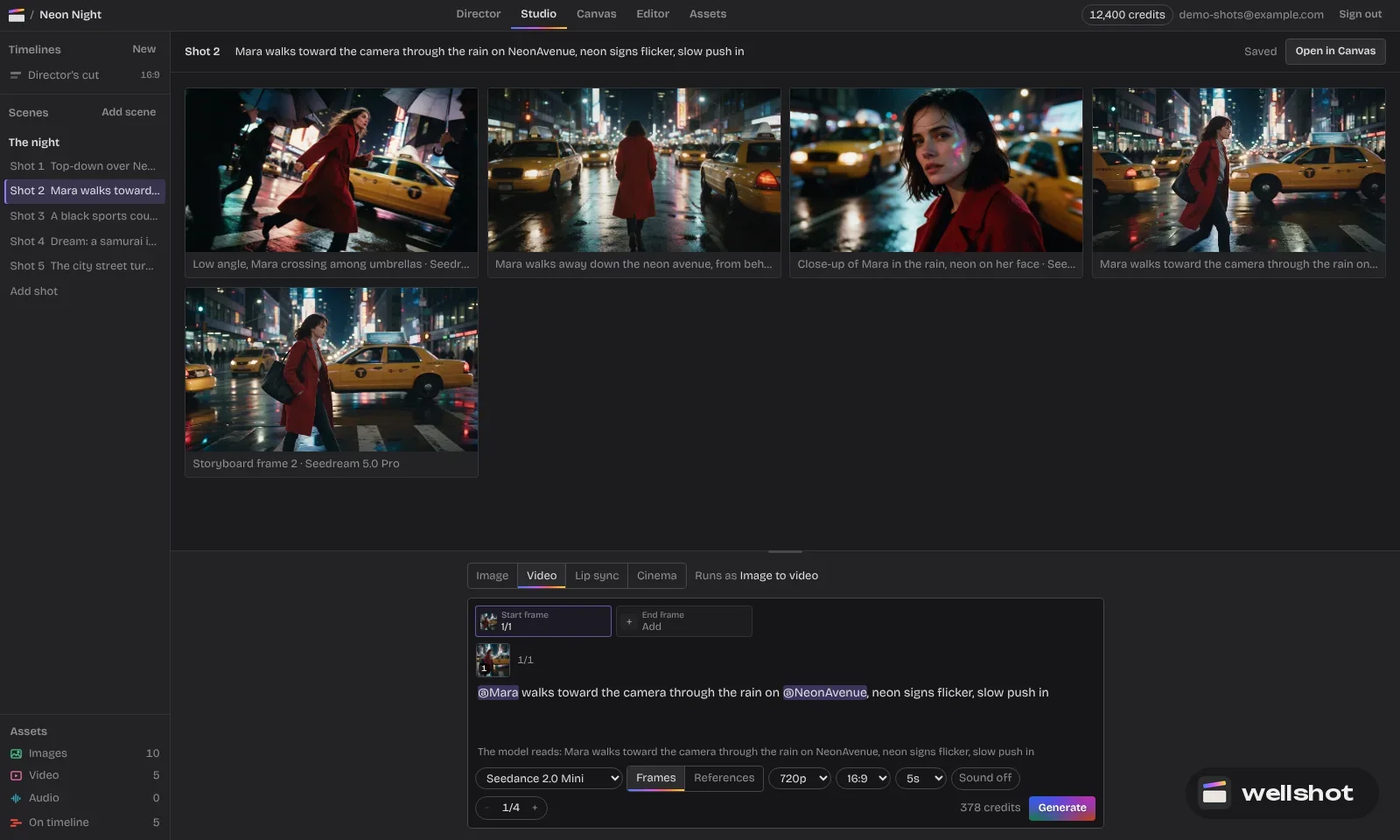
In Studio
- Open Studio, choose video mode and select Seedance 2.5.
- Add your prompt and any start frame, end frame or references.
- Set aspect ratio, length and the resolution you want for the final.
- Turn on draft mode. The button shows the credit price before you run.
- Run a few drafts. Every generation is saved as a take on the shot, so you can compare them.
- On the take you like, render the final from that draft.
In the Canvas
The same option sits on the Seedance 2.5 node. A useful setup is to branch: duplicate the node with slightly different prompts, run drafts side by side, then finish only the winning branch. Re-running a graph only executes nodes that changed, because outputs are cached, so you do not pay again for upstream steps such as an image you already made. See node-based AI video workflow for more on branching.
With the Director
When the Director plans a film, it tells you what the plan costs before spending. Drafting each shot and only finishing the approved ones keeps that number down across a whole storyboard. More in the AI director agent.
Worked example: a product splash shot
This is the kind of shot where drafts pay for themselves, because liquid motion is unpredictable.
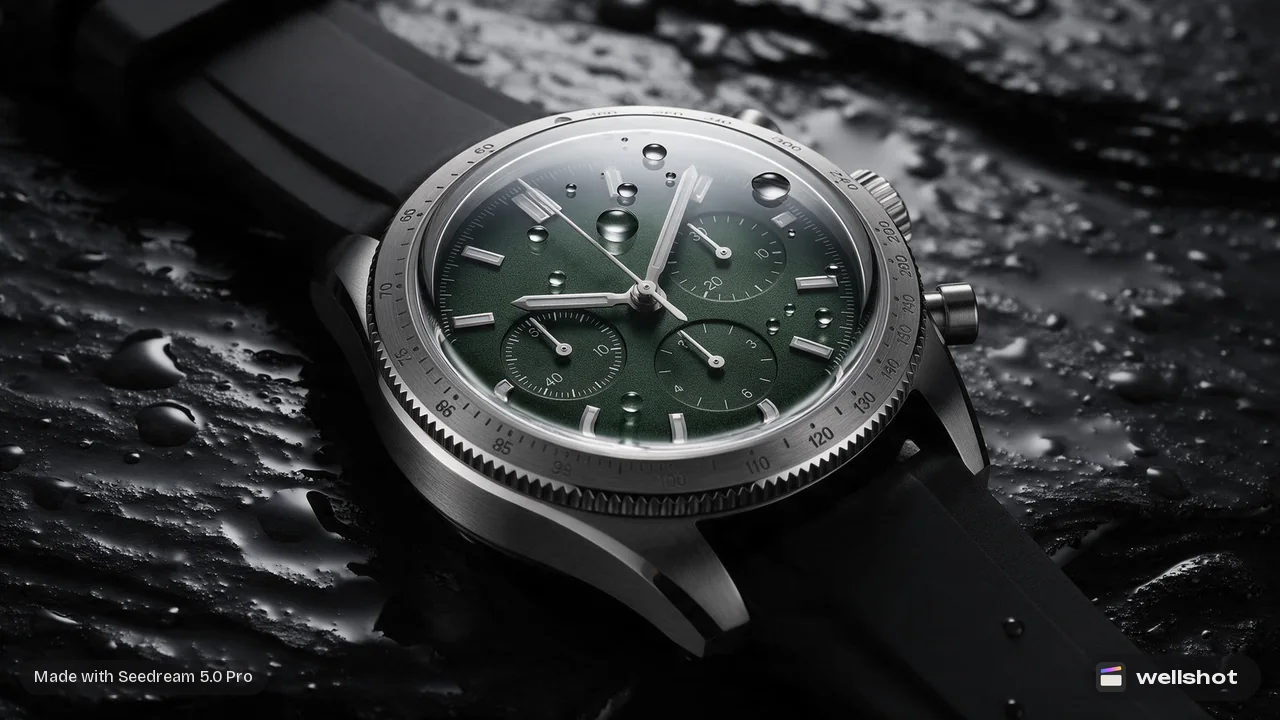
Start frame: a clean product still of a watch. Model: Seedance 2.5, image to video. Length 6 seconds, 1:1 for social, sound on.
Slow motion: a clean arc of water splashes across the watch from left to
right, droplets catching a hard rim light against a black background.
The camera slowly circles the watch a quarter turn. The watch face stays
sharp and readable throughout.
Sound: a single soft splash, then quiet droplets.
Run four drafts. Look at each for three things:
- Does the splash land where you want it on the face?
- Does the camera move stay smooth?
- Does the product keep its shape and details?
Pick the best one and finish it at 1080p. The splash you approved is the splash you get. You can recreate the watch splash draft to see the exact graph, seed and inputs.
Tips for better drafts
- Judge motion, not detail. 480p will look soft. That is expected. Watch for the camera path, the timing of the action and whether the subject stays on-model.
- Draft at the real length. If the final is 25 seconds, draft at 25 seconds. Changing length means a new draft.
- Lock the frame format early. Pick 16:9, 9:16 or another aspect ratio before drafting, so the composition you approve is the one you ship.
- Use drafts for references too. With reference to video and many inputs, a draft quickly shows whether the model is reading your references the way you meant.
Draft mode versus a cheaper model
Draft mode is a Seedance 2.5 feature. Another way to explore cheaply is to rough out shots with Seedance 2.0 Mini or 2.0 Fast and then remake the best idea on a higher-end model. That works for blocking out a storyboard, but the final will be a new generation and will not match the rough exactly.
Pick draft mode when the take you approve has to be the take you deliver. Pick a cheaper model for loose exploration where only the idea needs to survive.
For how credits work across the whole studio, read how much AI video costs. Ready to try it? Open Seedance 2.5 in Wellshot.
FAQ
What is Seedance draft mode?
It is a Seedance 2.5 option that makes a cheap 480p preview of a shot. When you like a draft, you render it at full quality, up to 1080p, from the same prompt, inputs, length and seed.
Will the final look the same as the draft?
The final is rendered from the same draft, so motion, framing and timing match what you approved. It will be sharper because it renders at the higher resolution.
Does draft mode save credits?
Yes. Drafts at 480p cost less than full renders, and you only pay for full quality on the take you pick. The price shows on the button before you run, and failed generations refund automatically.
Which models have draft mode?
In Wellshot, draft mode is available for Seedance 2.5.
Make it in Wellshot
Every model in one studio. Prompt it, wire it as nodes, or let the Director run it.