AI Video Tool for Teams: Shared Projects and Credits
Wellshot as an AI video tool for teams: shared projects, one credit pool, owner, admin and member roles, and one place for brief, shots, takes and the cut.
By the Wellshot team · · 5 min read
An AI video tool for teams has to do more than generate clips: it has to keep the brief, the shots, every take and the cut in one place where the whole crew can see them. Wellshot does that with team studios that share projects and one credit pool, with owner, admin and member roles, and four views over the same project so a director, an artist and an editor can each work the way they like.
Here is how a team studio is set up, how to split work across people, and the habits that keep a shared AI project from turning into a folder of mystery files.
What a team studio gives you
- Shared projects. Everyone in the studio works on the same projects, not copies.
- One credit pool. Credits are shared across the team, so nobody runs dry while a colleague has a full balance.
- Roles. Owner, admin and member.
- Every take is saved. Each generation lands on its shot, so a teammate can see what was tried, not only what was picked.
- The model per shot. Choose the model per shot in the Director, Studio and Canvas, so the team can mix models in one film.
Team plans
| Plan | Seats | Billing |
|---|---|---|
| Crew | 2 to 9 | Monthly or yearly |
| Production | 5 to 15 | Monthly or yearly |
Yearly is cheaper than monthly on both. Credits work the same as for individuals: the cost of each generation shows on the button first, failed generations refund automatically, and plan credits refresh every month. The how much does AI video cost guide has the detail.
One project, four views, many people
A Wellshot project holds scenes, each scene holds shots, and each shot has a node graph, takes and assets. There are four views over that data, and a change in one shows in the others. That is what makes it work for a team, because people with different skills can work on the same shot without passing files around:
| Role on the team | Usual view | What they do there |
|---|---|---|
| Director or creative lead | Director | Writes the brief with the agent, approves the script, storyboard and the cost of the plan |
| Prompt or look artist | Studio | Iterates single shots with cinema-mode camera, lens and lighting controls |
| Technical artist | Canvas | Builds multi-step node graphs: image edits, references, video, extend |
| Editor | Editor | Cuts takes on the timeline, adds music, voice and titles, exports |
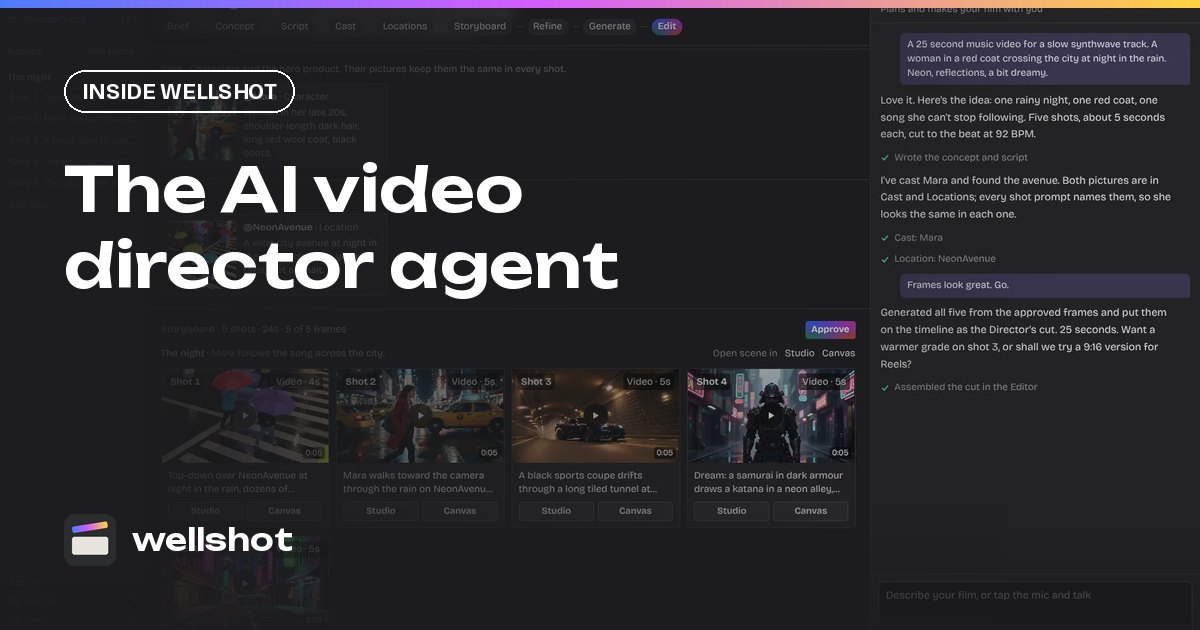
A producer can follow the whole thing from the timeline, because the Director assembles the cut in story order and "Swap take" updates it as better versions come in.
A team workflow for a commercial
Here is a split that works for a small agency team on a 30-second spot.
- Brief (creative lead). Describe the film to the Director as you would to a crew. It asks only what it doesn't know: format, aspect ratio, length, audience or platform, tone and look, music or voice-over, language.
- Script and storyboard (creative lead, with the agent). The Director writes the concept and script, casts characters with reference sheets, finds locations and builds scenes and shots. It shows what the plan costs before spending.
- Hero shots (look artist). In Studio, the artist refines the shots that carry the spot, using cinema mode for camera and lighting.
- Tricky shots (technical artist). On the Canvas, the artist chains nodes: an image edit with the Painter node to mark an area, then reference-to-video, then extend.
- Cut (editor). The Director's assembled cut lands on the timeline. The editor tightens, slips, adds the client's music track and titles, and exports.
- Revisions (anyone). Generate a new take on the shot and swap it in. The cut updates.
The AI commercial production post walks through a commercial from brief to export.
A brief to the Director can be as plain as a message to a crew:
30-second commercial for a new cold brew coffee. Vertical 9:16 for
Instagram and TikTok. Audience: young professionals. Tone: calm,
morning light, warm sand palette. Our own music track, no voice-over.
English on-screen text only. End on the can with the tagline.
Keeping a shared project tidy
Shared AI projects get messy fast. A few habits help:
- Name scenes and shots like a shot list so anyone can find "Sc2 Sh4 can pour" without opening every shot.
- Branch, don't overwrite. On the Canvas, branch variations side by side so a teammate's version is never lost.
- Fix the seed when handing over. If you pass a shot to a teammate to refine, lock the seed so their changes are the only variable.
- Keep characters in reference sheets. The Director's sheets (four full-body views plus portrait and detail close-ups) keep a character consistent no matter who generates the shot. See consistent characters with AI.
- Agree on draft rules. For example, all motion tests in Seedance 2.5 draft mode at 480p, finals only after approval. The Seedance draft mode post explains it.

Why one place matters
The cost of AI production on a team is rarely the generations; it is the hours spent finding which file was approved, which prompt made it, and re-cutting after every change. With projects, takes, graphs and the timeline in one studio, those questions answer themselves. For the agent that ties it together, read about the AI video director agent, and for the bigger picture see what an AI film studio is.
FAQ
Can my team share credits in Wellshot?
Yes. Team studios on Crew and Production plans share one credit pool across all seats, along with shared projects.
How many people can be on a Wellshot team?
Crew plans cover 2 to 9 seats and Production plans cover 5 to 15 seats. Both are available monthly or yearly.
What roles are there in a team studio?
There are three roles: owner, admin and member.
Can different people work on the same shot?
Yes. Every shot is shared data with four views, so one person can refine it in Studio while another sees the same shot as nodes on the Canvas, and the editor sees its takes on the timeline.
Make it in Wellshot
Every model in one studio. Prompt it, wire it as nodes, or let the Director run it.