Nano Banana vs Seedream: Which AI Image Model to Use
Nano Banana vs Seedream compared: sizes, reference limits, text, edits and 4K output, plus a simple guide to picking the right image model for each shot.
By the Wellshot team · · 6 min read
Nano Banana vs Seedream is not a contest with one winner. Google's Nano Banana models are the ones to reach for when a picture needs readable text, careful edits or the same character across many frames, while ByteDance's Seedream family covers everything from cheap storyboard drafts to 4K finals. In Wellshot you can use both in the same project and pick per shot, so the useful question is which one fits the job in front of you.
The two families at a glance
Both families do the same two tasks in Wellshot: generate a picture from text, and edit with reference pictures. You name references in the prompt as @Image 1, @Image 2 and so on, and you can mark the exact area to change with the Painter node on the Canvas. Where they differ is size, how many references they take, and what each version is tuned for.
| Model | Maker | Sizes | Max references | Best at |
|---|---|---|---|---|
| Nano Banana 2.1 | 1K, 2K, 4K | 14 | Strong edits, text rendering, character consistency | |
| Nano Banana Pro | 1K, 2K, 4K | 14 | Premium: best detail and text | |
| Seedream 5.0 Pro | ByteDance | 1K, 1.5K, 2K | 10 | Best quality, precise edits |
| Seedream 5.0 Flash | ByteDance | 1K, 1.5K, 2K | 10 | Fast and cheap: drafts, storyboards |
| Seedream 5.0 Lite | ByteDance | 2K, 3K, 4K | 14 | High resolution up to 4K |
| Seedream 4.5 | ByteDance | 2K, 4K | 14 | Proven editing with many references |
| Seedream 4.0 | ByteDance | 1K, 2K, 4K | 14 | Older, cheap |
Aspect ratios are the same for both families: 16:9, 9:16, 1:1, 4:3, 3:4, 3:2, 2:3 and 21:9. The Google models add 4:5 and 5:4, which matters if you deliver portrait social posts in that shape.
For the full detail on each, see the Nano Banana 2.1 guide, the Nano Banana Pro guide and the Seedream 5.0 guide.
Where Nano Banana fits
Nano Banana 2.1 is the working model of the pair: strong at edits, good with text inside the picture, and built to keep a character looking like the same person across frames. That makes it a natural pick for:
- Packaging, posters and signage where the words have to be spelled correctly.
- A character you will see in ten shots, where the face, hair and wardrobe must not drift.
- Edits where you change one thing and leave the rest alone, such as swapping a jacket color or adding a prop.
Nano Banana Pro is the premium step up, aimed at the finest detail and the cleanest text. Use it for the hero frame, the key art or the one still the client will look at longest. Both take up to 14 references and go up to 4K.
If character consistency is the main reason you are here, our guide to consistent characters in AI shows how to combine reference sheets with these models.
Where Seedream fits
Seedream is a family with a version for each stage of a production:
- Seedream 5.0 Flash for volume: storyboard frames, mood options, quick looks. It is the fast, cheap one.
- Seedream 5.0 Pro for quality finals and precise edits up to 2K.
- Seedream 5.0 Lite when you need size: 2K, 3K or 4K, with up to 14 references.
- Seedream 4.5 for edits that lean on many references at once, up to 4K.
- Seedream 4.0 when budget matters more than the newest model.
The product and portrait stills shown in this post were made with Seedream 5.0 Pro, and then used as start frames for video.
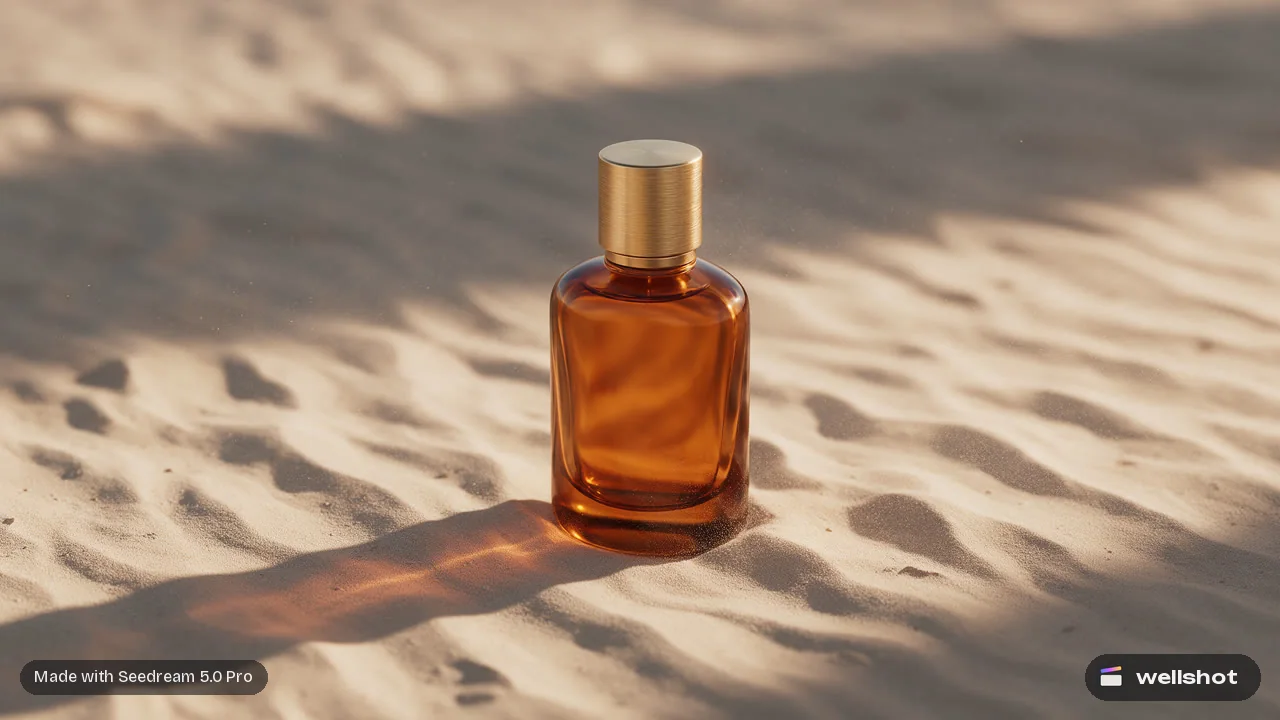
That last point is a common workflow: make a clean still, then animate it. Our post on image to video with start and end frames walks through it step by step.
Pick Nano Banana or Seedream: a decision guide
Use this as a starting rule, then test two models side by side on the Canvas when the shot matters.
| If the shot needs... | Start with |
|---|---|
| Readable text in the picture | Nano Banana 2.1, or Nano Banana Pro for the hero frame |
| The same character across many frames | Nano Banana 2.1 |
| Many cheap frames for a storyboard | Seedream 5.0 Flash |
| A high-quality final up to 2K with precise edits | Seedream 5.0 Pro |
| A 4K still | Seedream 5.0 Lite, Seedream 4.5, Nano Banana 2.1 or Nano Banana Pro |
| An edit that mixes a lot of references | Seedream 4.5, Seedream 5.0 Lite or either Nano Banana (14 each) |
| The lowest cost for a usable still | Seedream 4.0 or Seedream 5.0 Flash |
Run both side by side on the Canvas
The fairest way to compare is to give both models the same prompt and the same references. On the Canvas, a model shows under every task it can do, so you can add an "edit images" node for Nano Banana 2.1 and another for Seedream 5.0 Pro, wire the same pictures into both, and branch the variations next to each other. Re-running only executes nodes that changed, so tweaking one branch does not re-spend credits on the other.

A worked example: one edit, two models
Say you have a product shot of a bottle (@Image 1) and a label design (@Image 2), and you want the label applied with the brand name readable. Here is a prompt that works with both families:
Place the label from @Image 2 on the bottle in @Image 1. Keep the bottle shape,
glass reflections and background exactly as they are. The label text reads
"NOIR 07" in thin white capitals, centered, perfectly legible.
Soft studio light from the left, gentle shadow on the right.
Send it to Nano Banana 2.1 first because of the text. If you only need the label artwork and no lettering, Seedream 5.0 Pro is an equally good first try. If the label lands but the area around it shifts, draw over the label zone with the Painter node and send that as an extra reference so the edit stays inside the mark.
Every generation is saved as a take on the shot, so you can keep the best from each model and compare them later in the project's media.
Cost and credits
Each model costs a different number of credits, and the exact price shows on the button before you run anything. Failed generations refund automatically. As a rule of thumb inside each family, Flash and 4.0 are the budget options, Seedream 5.0 Pro and Nano Banana Pro are the premium ones. Our post on how much AI video costs explains how credits and plans work in more detail.
Try both on your next shot and keep whichever take wins.
FAQ
Is Nano Banana better than Seedream?
Neither is better at everything. Nano Banana 2.1 and Nano Banana Pro are tuned for text rendering, strong edits and character consistency, while Seedream offers a version for each stage, from cheap Flash drafts to Seedream 5.0 Lite at 4K.
Which is better for text in images, Nano Banana or Seedream?
Start with Nano Banana. Text rendering is one of the things Nano Banana 2.1 is built for, and Nano Banana Pro is the premium option for the best detail and text.
Can Nano Banana and Seedream make 4K images?
Yes. Nano Banana 2.1 and Nano Banana Pro go up to 4K, and so do Seedream 5.0 Lite, Seedream 4.5 and Seedream 4.0. Seedream 5.0 Pro and 5.0 Flash top out at 2K.
How many reference images can I use?
Nano Banana 2.1, Nano Banana Pro, Seedream 5.0 Lite, Seedream 4.5 and Seedream 4.0 take up to 14 references. Seedream 5.0 Pro and 5.0 Flash take up to 10.
Can I use both models in one project?
Yes. In Wellshot you choose the model per shot in Director, Studio and Canvas, so a storyboard can be drawn with Seedream 5.0 Flash and the key art finished with Nano Banana Pro in the same project.
Make it in Wellshot
Every model in one studio. Prompt it, wire it as nodes, or let the Director run it.