Nano Banana 2.1 Guide: AI Image Edits, Text and Characters
Nano Banana 2.1 in Wellshot: strong image edits, text rendering, character consistency, up to 14 reference images, 1K to 4K sizes and a worked prompt.
By the Wellshot team · · 5 min read
Nano Banana 2.1 is Google's image model for strong edits, readable text in pictures and keeping a character consistent from shot to shot. In Wellshot it makes images from text or edits them with up to 14 reference pictures, at 1K, 2K or 4K. This guide explains what it's good at, how to prompt it, and when to use it instead of Nano Banana Pro or Seedream.
Nano Banana 2.1 at a glance
Nano Banana comes from Google (Google DeepMind). There are two Nano Banana models in Wellshot: Nano Banana 2.1 and the premium Nano Banana Pro.
| Spec | Nano Banana 2.1 |
|---|---|
| Maker | |
| Tasks | Text to image, edit with references |
| Sizes | 1K, 2K, 4K |
| Max references | 14 |
| Strengths | Strong edits, text rendering, character consistency |
| Aspect ratios | 16:9, 9:16, 1:1, 4:3, 3:4, 3:2, 2:3, 21:9, 4:5, 5:4 |
Note the last row: as a Google model it adds 4:5 and 5:4 to the usual image ratios. 4:5 is handy for feed posts that need a little more height than square.
What it does well
Strong edits
Give Nano Banana 2.1 a picture and describe a change, and it makes that change while keeping the rest. Typical edits: change a background, swap clothing, change the time of day, add or remove an object. For an exact area, draw on the picture with the Painter node on the Canvas and tell the model to change only the marked part.
Text in the picture
Text rendering is one of its listed strengths. Signs, labels, posters, packaging and title cards are the kind of shots where it is worth trying first. Put the exact words in quotes in your prompt so there's no doubt about spelling.
Character consistency
When the same person needs to appear across a storyboard or a campaign, Nano Banana 2.1 is built to hold them. Feed in the same character pictures as references each time and name them the same way. More on this in our guide to consistent characters in AI.
Working with up to 14 references
Fourteen references is enough for a full character sheet plus a location and props. A good habit is to give each reference one job and say it in the prompt:
- @Image 1 to @Image 4: the character, from the front, side, back and three-quarter views
- @Image 5: the character's face close-up
- @Image 6: the location
- @Image 7: a prop or product
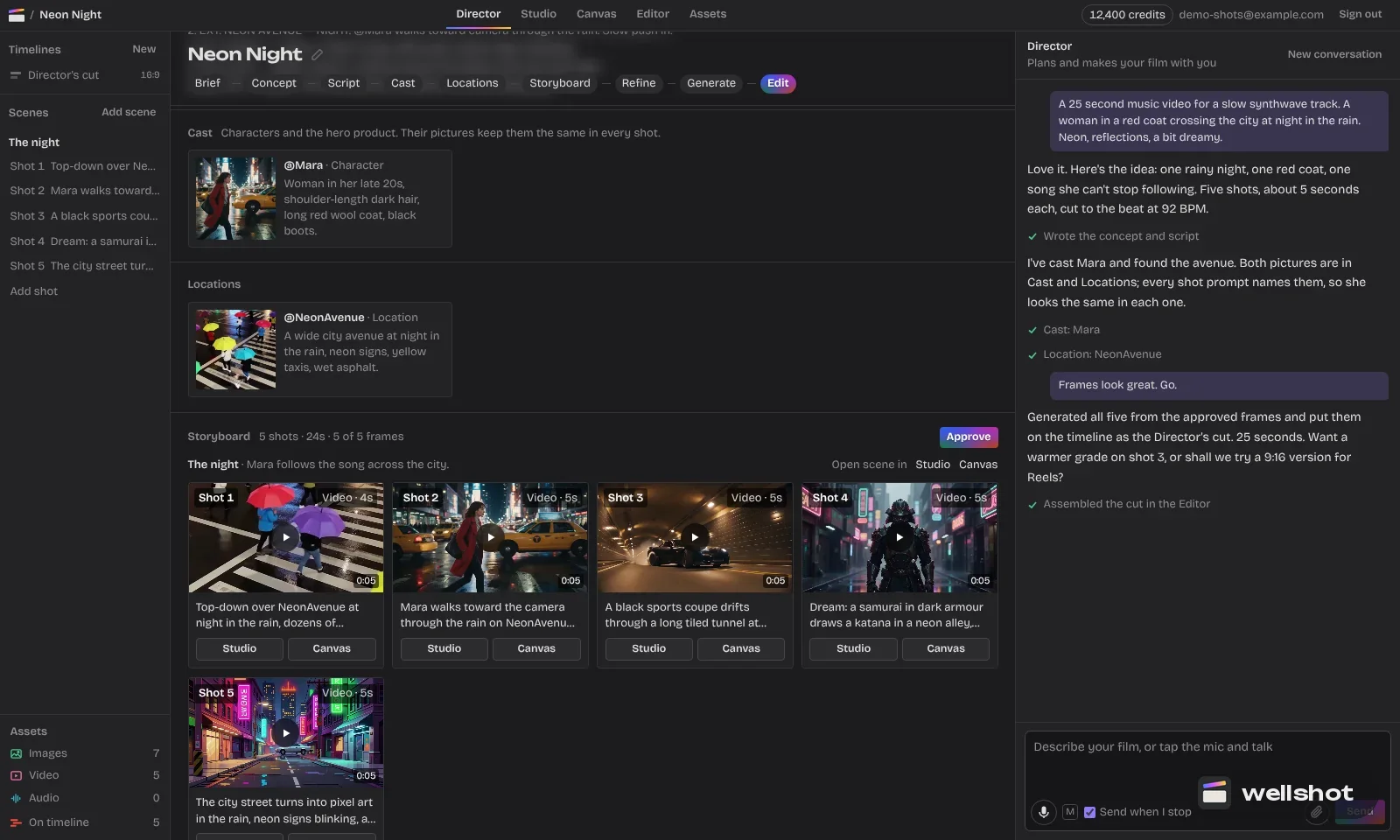
In Wellshot, the Director agent can make character reference sheets for you: four full-body views plus portrait and detail close-ups, kept consistent. Those pictures slot straight into Nano Banana 2.1's numbered inputs.
A worked example: a poster with a character and text
You have a character sheet (@Image 1 to @Image 3), a city street (@Image 4) and you want a vertical film poster with a title.
Vertical film poster, 2:3. The woman from @Image 1, @Image 2 and @Image 3 stands
in the middle of the rainy neon street from @Image 4, facing camera, coat collar
up. Low angle, wet reflections, teal and amber palette. Keep her face, hair and
coat exactly as in the references. At the top, large bold title text that reads
"AFTER THE RAIN". At the bottom, small text that reads "COMING SOON".
No other text.
Two things make this work: the words are in quotes, and the prompt says "no other text" so the model doesn't invent extra lines.
How to use Nano Banana 2.1 in Wellshot
- Open a shot in the Studio and choose image mode.
- Pick Nano Banana 2.1 in the model picker.
- Set the size (1K, 2K or 4K) and the aspect ratio, including 4:5 or 5:4 if you need them.
- Add references and name them in the prompt as @Image 1, @Image 2…
- Check the credit price on the button and generate.
On the Canvas, Nano Banana 2.1 shows up under both Image → generate from text and Image → edit images. Wire your character sheet into its numbered inputs once, then branch variations side by side. Every result is saved as a take on the shot, and an approved still can go straight into a video node as a start frame (see image to video with a start and end frame).
You can open Nano Banana 2.1 in Wellshot and try the poster prompt.
Tips for clean text
- Keep text short: a title and a line, not a paragraph.
- Ask for one font style in plain words, such as "bold condensed sans serif".
- If a letter comes out wrong, run an edit pass on the same picture and mark the text area with the Painter node.
- For final type on a video, you can also add titles in the Wellshot Editor, with full control of font, color, size and position.
When to pick Nano Banana 2.1
Pick it when:
- The picture needs readable text.
- The same character appears across many images.
- You want a strong edit with lots of references (up to 14).
- You need 4:5 or 5:4.
Pick something else when:
- You want the best possible detail and text for a hero image: Nano Banana Pro, Google's premium model.
- You want fast, cheap drafts: Seedream 5.0 Flash.
- You're weighing Google against ByteDance: Nano Banana vs Seedream.
FAQ
What is Nano Banana 2.1?
Nano Banana 2.1 is an image model from Google. In Wellshot it makes images from text and edits them with up to 14 references, with strengths in editing, text rendering and character consistency.
Can Nano Banana 2.1 put text in images?
Yes, text rendering is one of its strengths. Put the exact words in quotes in your prompt for the best results.
What sizes does Nano Banana 2.1 support?
1K, 2K and 4K, in 16:9, 9:16, 1:1, 4:3, 3:4, 3:2, 2:3, 21:9, 4:5 and 5:4.
What is the difference between Nano Banana 2.1 and Nano Banana Pro?
Both take up to 14 references and render up to 4K. Nano Banana Pro is the premium model, with the best detail and text; Nano Banana 2.1 is strong at edits, text and character consistency.
Is Nano Banana 2.1 free in Wellshot?
Generations use credits from your plan. The price shows on the button before you generate, and failed generations are refunded automatically.
Make it in Wellshot
Every model in one studio. Prompt it, wire it as nodes, or let the Director run it.