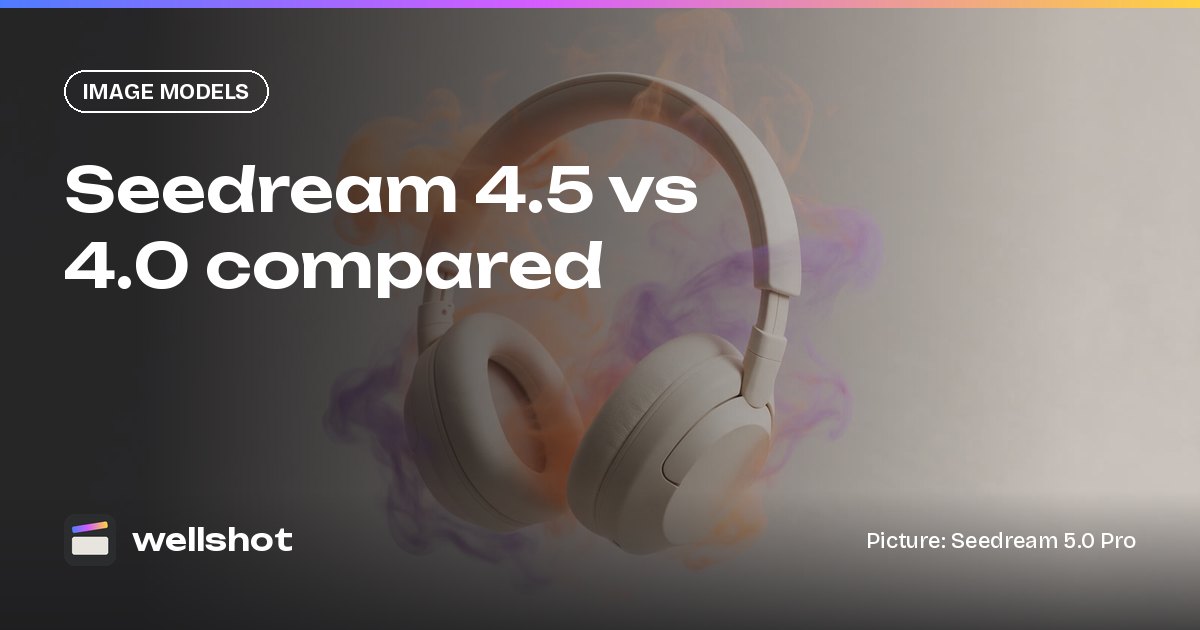
Seedream 4.5 vs 4.0: Which AI Image Model Should You Use?
Seedream 4.5 vs Seedream 4.0 in Wellshot: sizes, 14 reference images, editing strength, cost, and a simple guide to when each one is the right pick.
By the Wellshot team · · 5 min read
Seedream 4.5 is ByteDance's proven image model for editing with many references: in Wellshot it renders at 2K or 4K and takes up to 14 reference pictures. Seedream 4.0 is the older, cheaper model, with 1K, 2K and 4K sizes and the same 14-reference limit. Pick 4.5 when an edit has to hold together across lots of inputs; pick 4.0 when you want a cheap image and can live with an older model.
The two models side by side
Both are made by ByteDance's Seed team, and both do text to image plus editing with references.
| Seedream 4.5 | Seedream 4.0 | |
|---|---|---|
| Maker | ByteDance | ByteDance |
| Tasks | Text to image, edit with references | Text to image, edit with references |
| Sizes | 2K, 4K | 1K, 2K, 4K |
| Max references | 14 | 14 |
| Strength | Proven editing with many references | Older, cheap |
| Aspect ratios | 16:9, 9:16, 1:1, 4:3, 3:4, 3:2, 2:3, 21:9 | Same |
The practical differences come down to three things: editing reliability, the smallest size, and cost.
- Editing with many references is what 4.5 is known for. When you stack a product, a set, a model and a lighting reference, it's the one to trust.
- 1K output is only on 4.0. If you want small, cheap images, 4.0 can go lower.
- Cost: 4.0 is the cheaper of the two. You see the exact credit price on the generate button before running either.
Where Seedream 4.5 earns its place
Seedream 4.5 is the steady choice for edits that combine a lot of material. Typical jobs:
- Product composites: the product, its packaging, a surface, a backdrop and a prop in one picture.
- Campaign variations: the same hero product placed in several sets, each from its own reference.
- Character and wardrobe: a person from one picture, an outfit from another, a location from a third.
Name every reference in the prompt (@Image 1, @Image 2…) and say what role each plays. For exact areas, draw on the picture with the Painter node on the Canvas to mark what should change. Our AI image editing with reference images guide covers the whole method.
Where Seedream 4.0 still makes sense
Seedream 4.0 is older, but cheap is a feature when you need volume:
- Quick mood boards and rough options.
- Small 1K images for layout and planning.
- Background plates where detail matters less.
If you want a fast, cheap model from the newer generation, compare it with Seedream 5.0 Flash, which is built for drafts and storyboards at 1K to 2K with up to 10 references.
A worked example with many references
Here's a Seedream 4.5 composite for a headphones ad, using five references: the headphones (@Image 1), the charging case (@Image 2), a concrete plinth (@Image 3), a smoky studio backdrop (@Image 4) and a lighting reference (@Image 5).
Product photograph, 16:9, 4K. The headphones from @Image 1 rest on the concrete
plinth from @Image 3, with the charging case from @Image 2 open beside them.
Background is the smoky dark studio from @Image 4. Light it like @Image 5: one
hard rim light from behind right, soft fill from the front left, thin wisps of
smoke catching the rim. Keep the headphones' shape, color and logo exactly as in
@Image 1 and the case exactly as in @Image 2. No text, no hands.
Five references is where 4.5's strength shows. Run the same prompt on 4.0 if you want to compare cost and result side by side; on the Canvas you can branch the two models next to each other from the same inputs.

A note on references
Fourteen is the upper limit, not a target. More references means more for the model to balance, so add one only when it carries something the prompt can't describe in words: an exact product, a real face you have the rights to use, a specific location. Mood and light can often be written instead of attached.
How to compare them in Wellshot
- Open the shot on the Canvas.
- Add a Seedream 4.5 edit node and a Seedream 4.0 edit node (press Tab and search for each).
- Wire the same reference pictures into both nodes' numbered inputs.
- Use the "combine prompts" node, or paste the same prompt, so both get identical instructions.
- Run. Each model's result shows next to the other, and re-running only executes nodes you changed.
Prefer a panel? In the Studio's image mode, pick one model, generate, then switch the model picker and generate again. Both takes stay saved on the shot.
You can open Seedream 4.5 in Wellshot and try the composite above.
Decision guide
- Pick Seedream 4.5 for edits with many references, product composites and anything client-facing at 2K or 4K.
- Pick Seedream 4.0 for cheap volume, 1K images, and rough options.
- Pick Seedream 5.0 Pro when you want the best Seedream quality and precise edits, with up to 10 references.
- Pick Seedream 5.0 Lite for 3K or 4K files with up to 14 references from the newer family.
- Look at the Google models when text in the image matters; see Nano Banana vs Seedream.
FAQ
What is the difference between Seedream 4.5 and Seedream 4.0?
Seedream 4.5 is the proven model for editing with many references, at 2K or 4K. Seedream 4.0 is older and cheaper, and adds a 1K size. Both accept up to 14 references.
How many reference images does Seedream 4.5 support?
Up to 14 reference pictures. Name them in the prompt as @Image 1 through @Image 14.
Can Seedream 4.5 make 4K images?
Yes. Seedream 4.5 renders at 2K or 4K. Seedream 4.0 renders at 1K, 2K or 4K.
Should I use Seedream 4.5 or Seedream 5.0?
Use Seedream 5.0 Pro for the best quality and precise edits up to 2K, and Seedream 5.0 Lite for 4K. Seedream 4.5 remains a strong pick when an edit combines many references.
Make it in Wellshot
Every model in one studio. Prompt it, wire it as nodes, or let the Director run it.